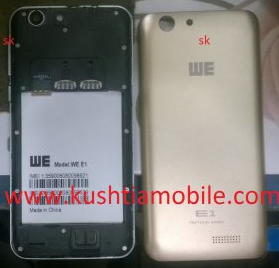


Device Brand : WE
Device Model : t53_w509
Device CPU : MT6580
Device IntName : full_t53_wh_w509
Device Version : 5.1
Device Compile : 5/10/2017 10:03:11 AM
Device Project : ALPS.L1.MP6.V2_ALONG6580.WE.L_P18
Device ExtInfo : WE E1
Mobile Flash solution
MTK CPU:
1. Firstly setup the MTK USB driver your pc. ( Download MTK Driver).
2. Connect the mobile to pc using USB data cable. Mobile must be switched off and disconnect the battery from mobile.
3. Open the software tools/crack/box for flash. ( Download flash tool ).
4. Browse the flash file from your pc. firmwaer password link
5. No need to press the boot key to connect for flash. (we e1 firmwaer Firmwaer Download Link )
6. When flash will be done. Please disconnect the mobile battery and connect again. If Mobile battery is attached the press the volume up + down + Power button in the same time until restart the mobile.