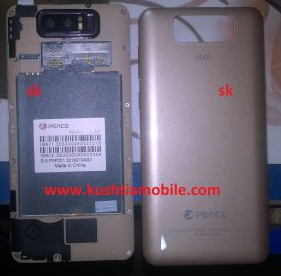


Mobile Flash solution
MTK CPU:
1. Firstly setup the MTK USB driver your pc. ( Download MTK Driver).
2. Connect the mobile to pc using USB data cable. Mobile must be switched off and disconnect the battery from mobile.
Device Brand : PEACE
Device Model : zm88_tt_t59m_note8_nd42_2k_b15
Device CPU : MT6572
Device IntName : PXP201
Device Version : 4.4.2
Device Compile : 7/23/2018 4:33:15 AM
Device Project : ALPS.KK1.MP7.Band1.2.5.V1.3
Device ExtInfo : PXP201
3. Open the software tools/crack/box for flash. ( Download flash tool ).
4. Browse the flash file from your pc.
5. No need to press the boot key to connect for flash. (peace pxp201 Firmwaer Download Link )
6. When flash will be done. Please disconnect the mobile battery and connect again. If Mobile battery is attached the press the volume up + down + Power button in the same time until restart the mobile.